ROUTE PLANNING + DISPATCH FOR FLEETS

Aqorin Motion

Plan the day, dispatch it and follow it live. Route optimization for delivery, transport and field-service fleets, with a driver app on the phone and a tracking link for your customers.

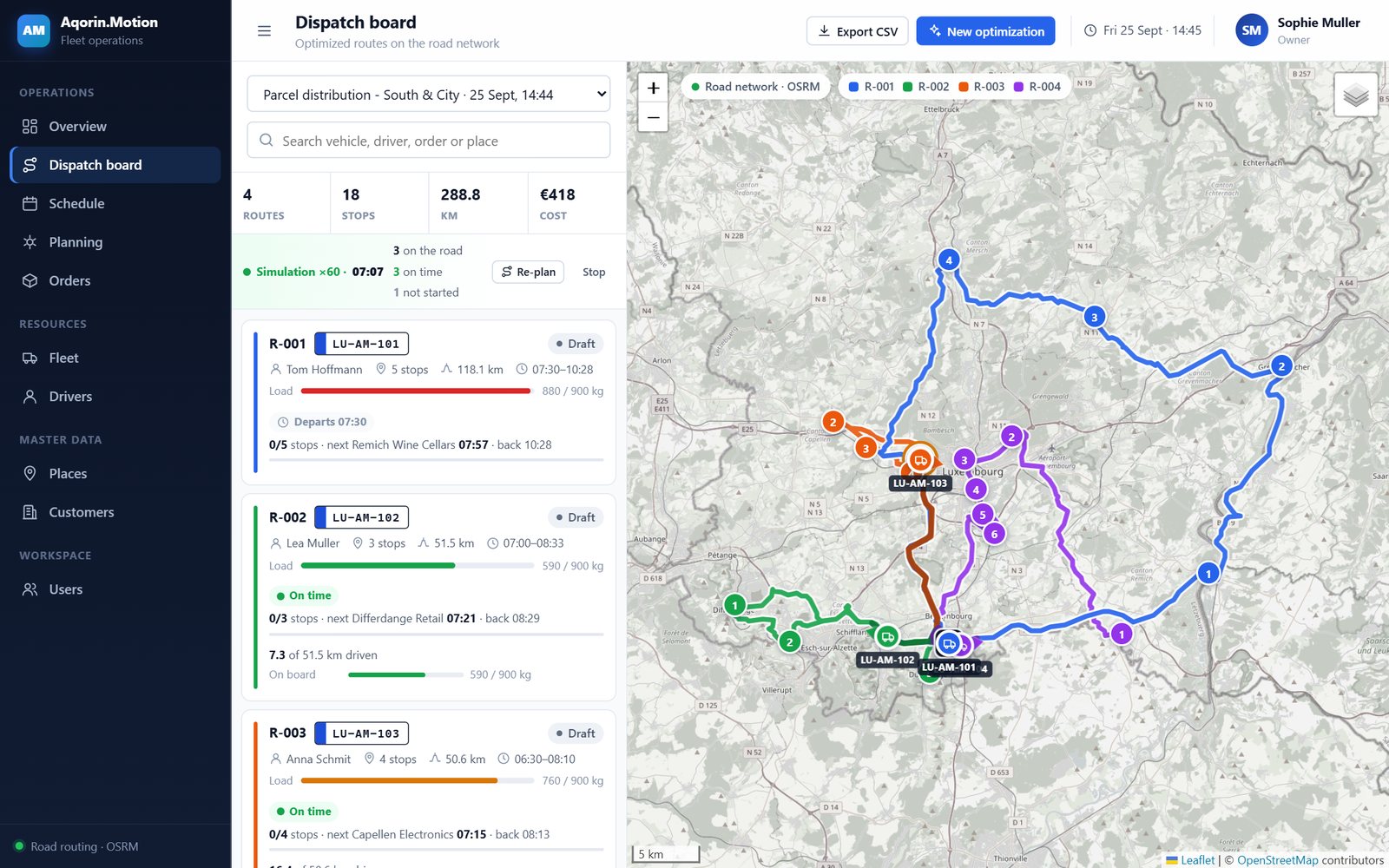
Dispatch board with vehicles on the road, live ETAs and routes on the map
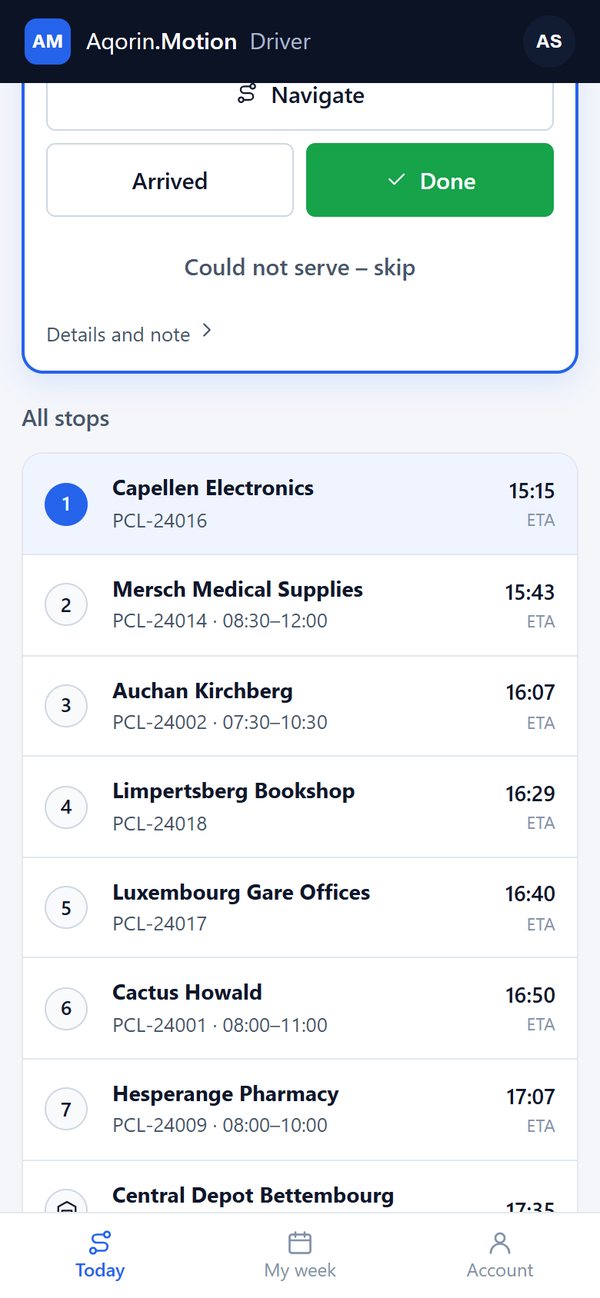
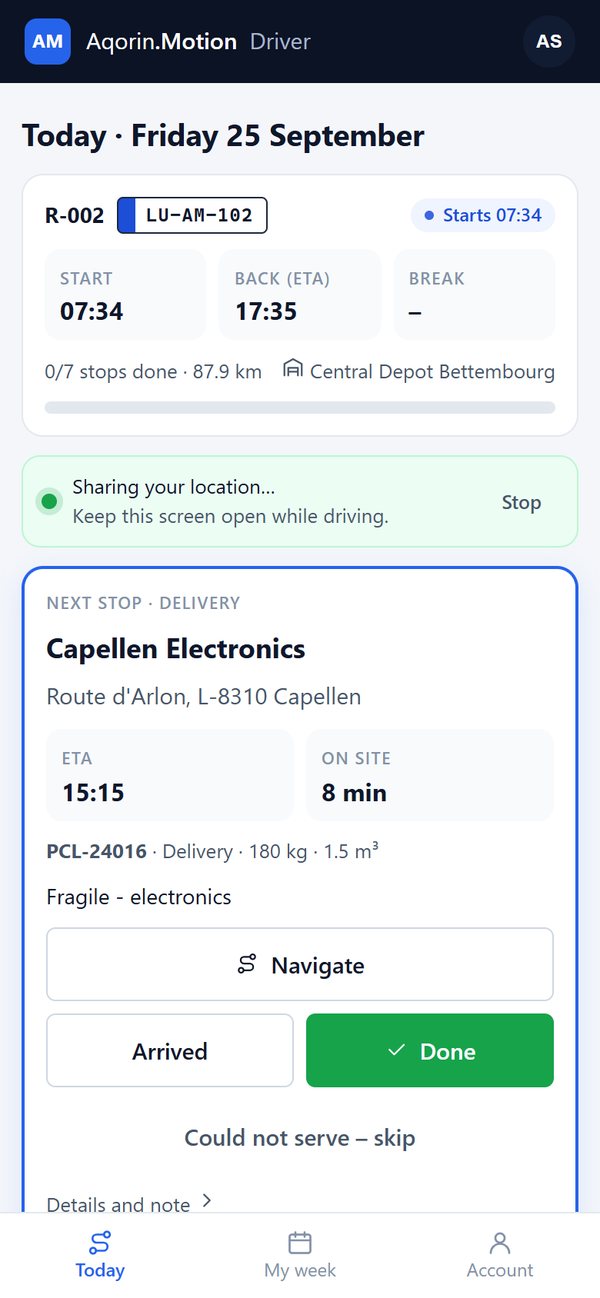
Driver app showing today's route and the next stop
DRIVER APP
PLANNING

The optimizer proposes. The dispatcher decides.

Orders, vehicles and drivers go in; routes with real clock times come out, on real road distances. Every rule of the day is respected, and every route can still be changed by hand.
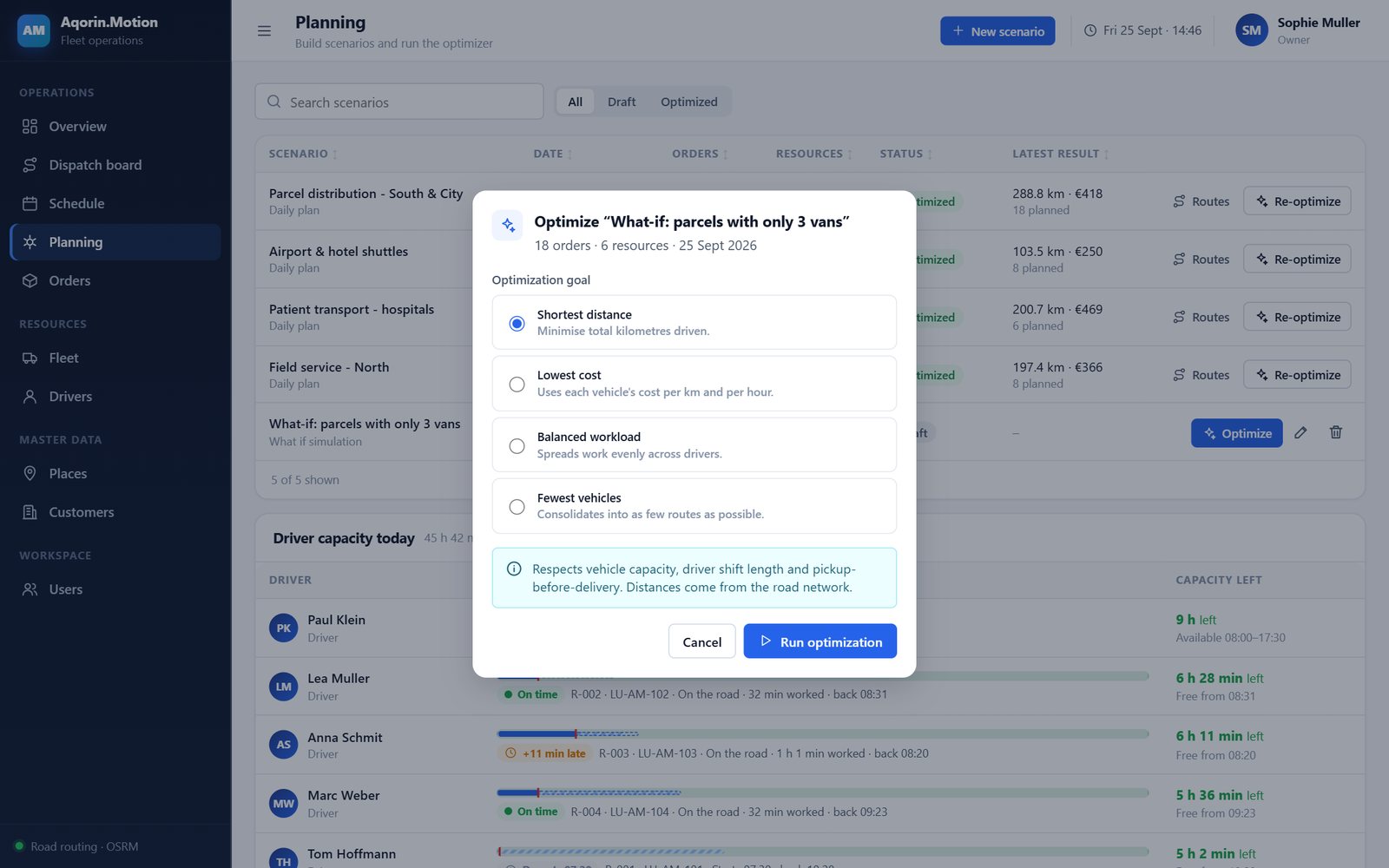
Optimization dialog with the goals shortest distance, lowest cost, balanced workload and fewest vehicles Optimization

Routes that keep every promise.

Vehicle capacity in weight, volume and seats, time windows, driver shifts and breaks, maximum working time and priorities. Choose the goal: shortest distance, lowest cost, balanced workload or fewest vehicles. What cannot be planned is listed with the reason.
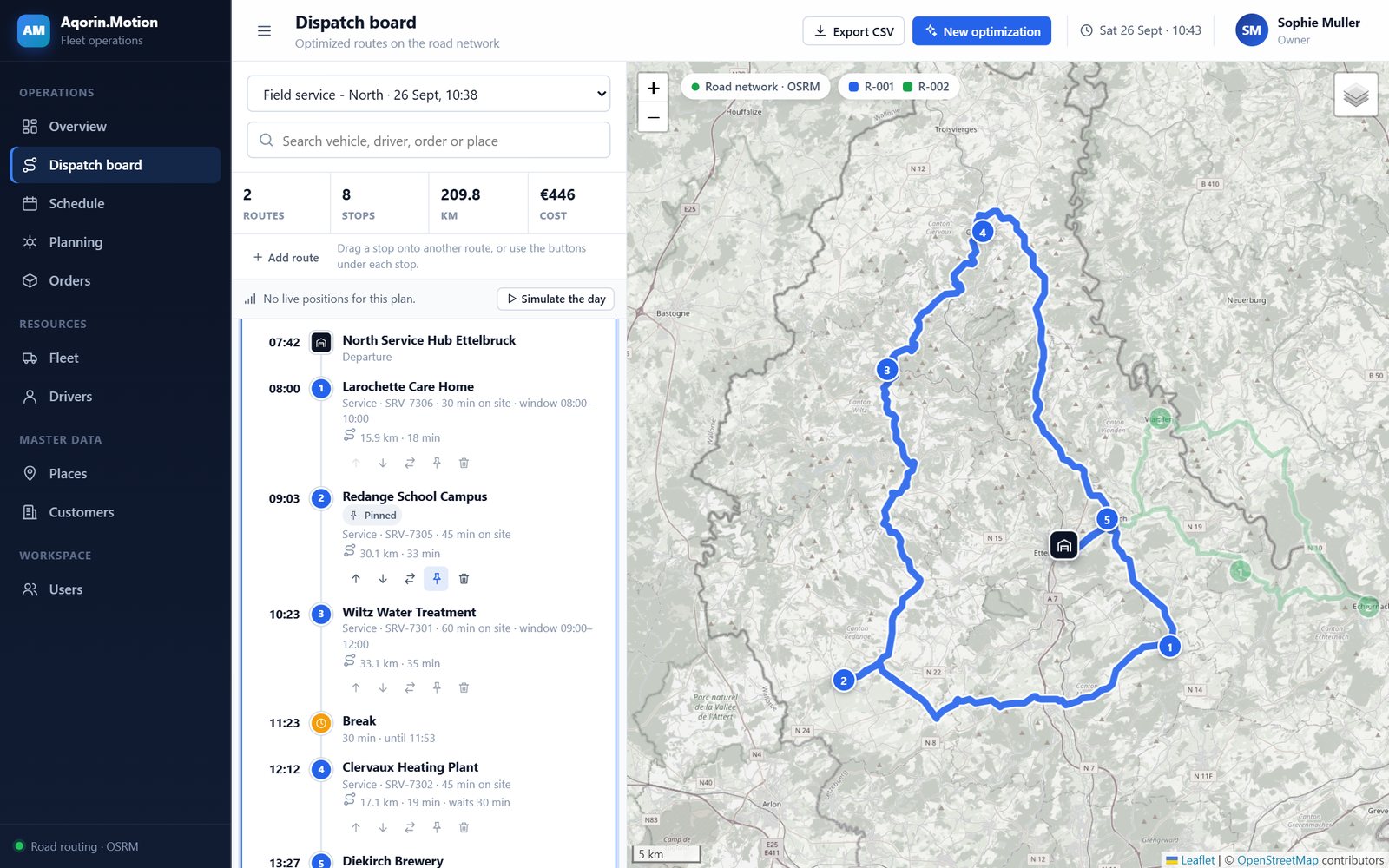
Dispatch board with a route opened for editing: reorder, move, pin and remove stops By hand

Change the plan in a few clicks.

Reorder or drag stops between routes, pin a stop, add a late order, swap the vehicle or driver, or add a route. Each change is re-timed on the road network, and anything it breaks is shown in amber.
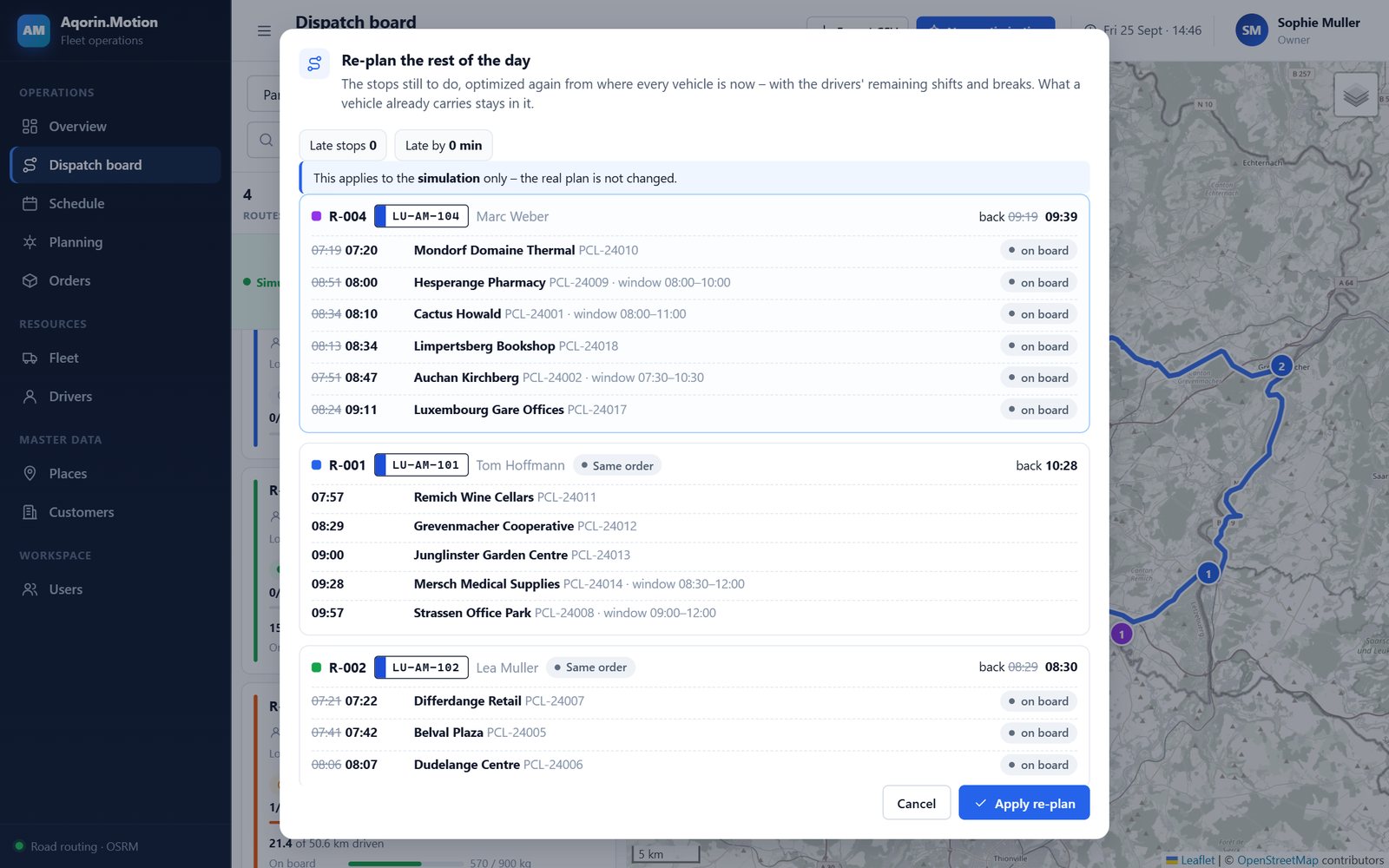
Re-plan proposal comparing late stops and moves before and after Re-planning

Re-plan the rest of the day.

A jam, a long stop, a customer who calls at 10:00: the optimizer plans what is left from where each vehicle is now. Review the proposal, keep a stop where it is, then apply it.
THE DAY AS IT HAPPENS

See every vehicle, every stop, every delay.

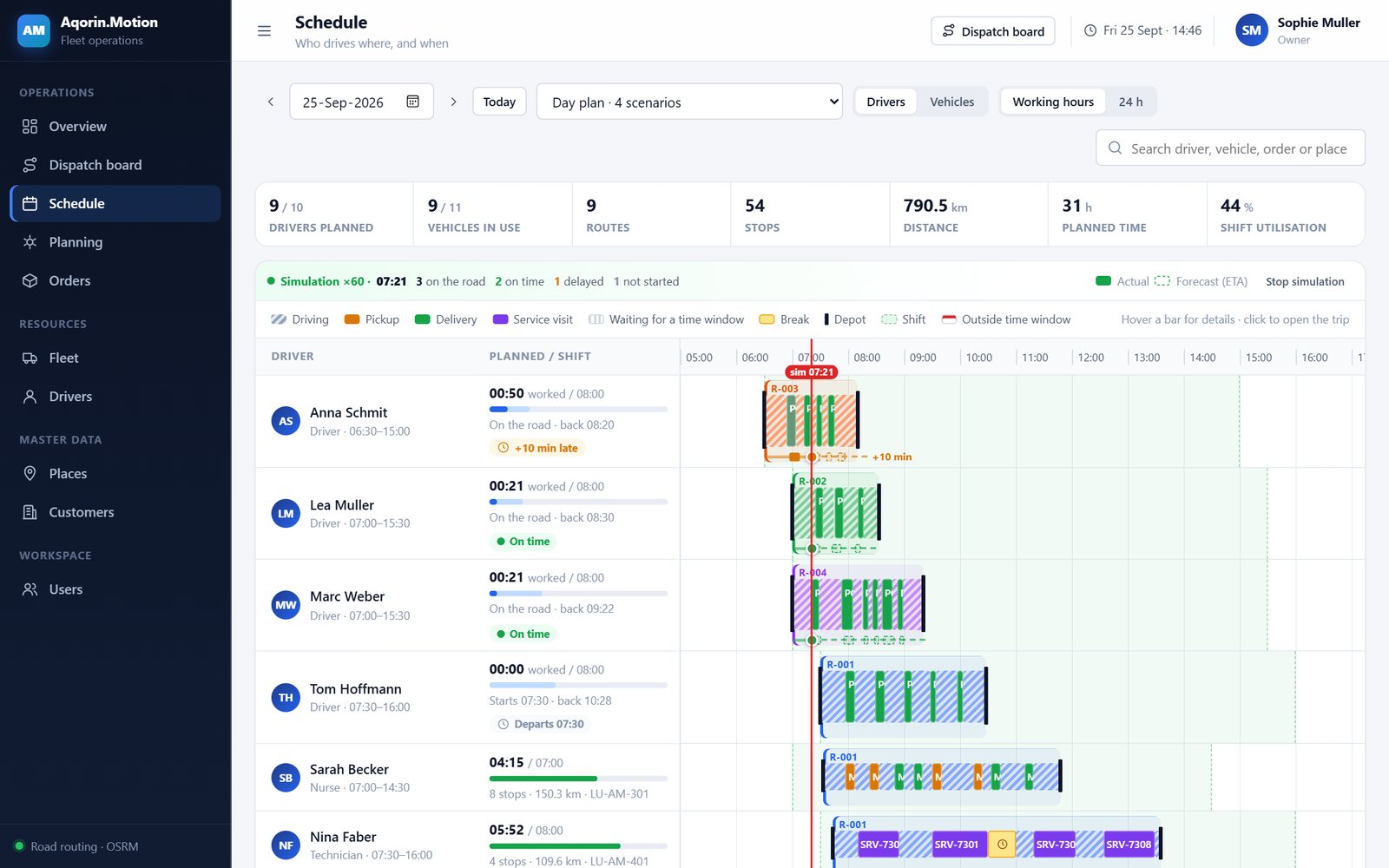
Positions come from the driver app on the phone or from the vehicles' telematics system. Stops are ticked off automatically when a vehicle arrives and leaves, and arrival times are recalculated from where the vehicle really is, so a delay at 07:40 shows at once on every following stop.

Live map with ETAs Window-at-risk warnings Driver shifts and overtime Schedule for the whole day Simulate a day for training CSV export with readable names
Schedule with one row per driver: driving, stops, waiting, breaks and live progress
DRIVER APP

Everything the driver needs, on the phone.

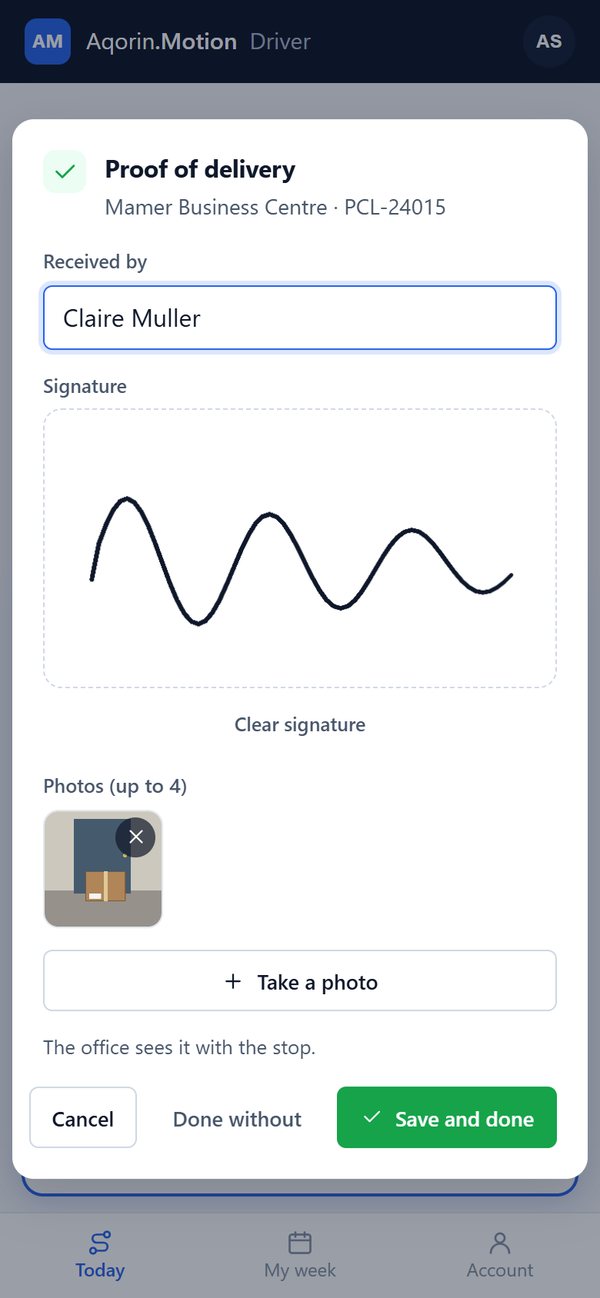
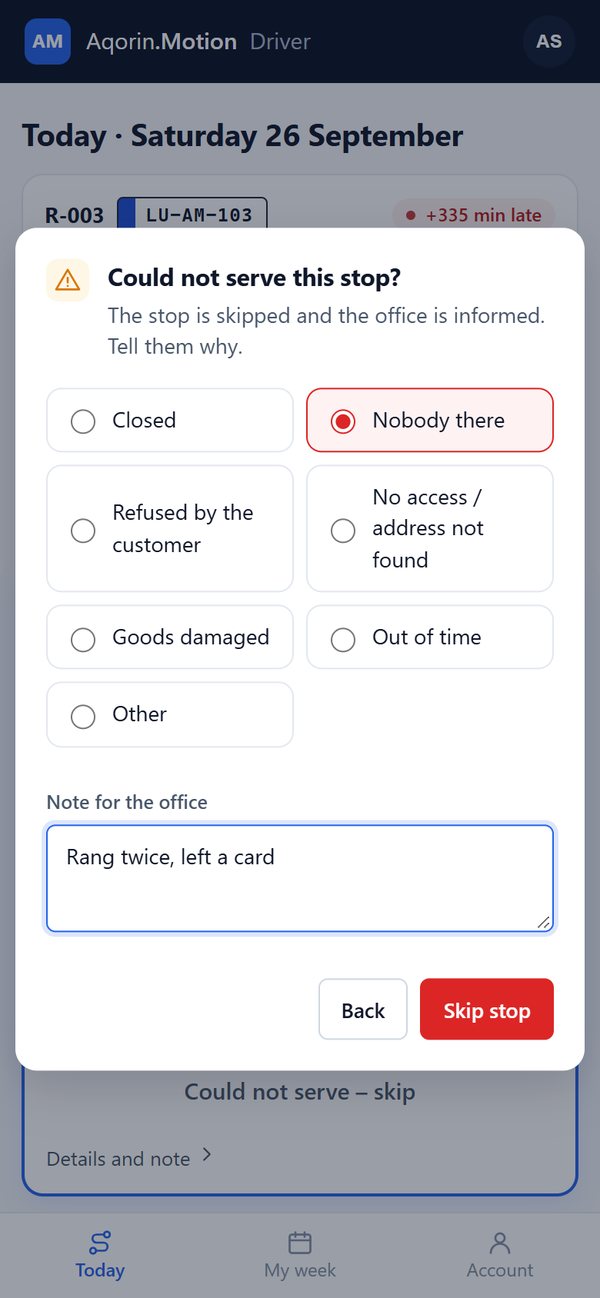
The route of the day, the next stop with address, time window and a call button, navigation in one tap. Arrived, Done with a proof of delivery (recipient, signature, photos) or Could not serve with a reason, and the office sees it at once. In a dead zone the driver keeps working: actions are kept on the phone and sent with the time they happened as soon as the connection is back.

ANY PHONE · BROWSER
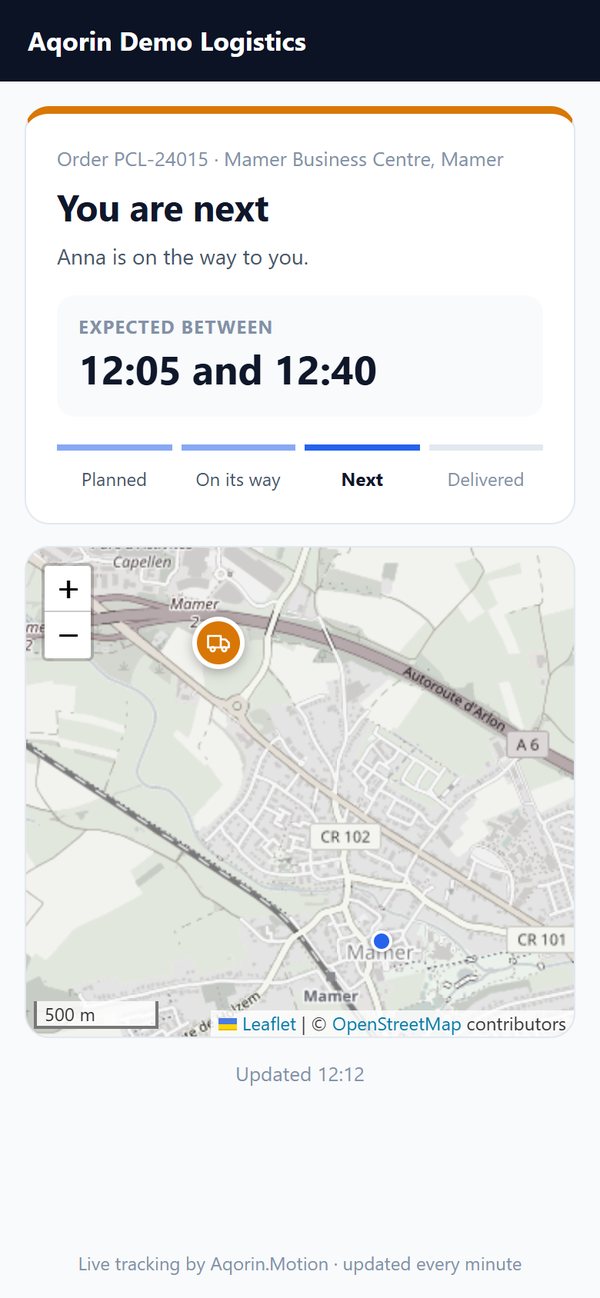
Customer tracking page: you are next, expected between 12:05 and 12:40, van on the map
Customer tracking link
YOUR CUSTOMERS

“Where is my delivery?” answered before they call.

Every order has a private tracking link: the status, the expected arrival as a half-hour window, the stops before theirs, and the van on the map once they are next. Customers can get it by email when their route starts, and see who received the delivery afterwards.

No app, no sign-in Live expected time Automatic on-its-way email Driver shown by first name only
FOR THE WHOLE COMPANY

Reports

On-time rate, stops done and skipped with the reasons, proofs of delivery, kilometres and hours against the plan, per driver and vehicle.

Roles and security

Owner, admin, planner, dispatcher, viewer and driver accounts, two-factor sign-in, and an activity log of who changed what.

Privacy by default

Positions are recorded only during a route. GPS tracks and proofs are deleted automatically after the retention period you choose.

Integrations

Orders arrive from your ERP or web shop through the API, or by CSV import. Signed webhooks tell your systems when stops and routes are done.

USER MANUAL

Read the whole product before the pilot.

The user manual walks through Aqorin Motion screen by screen: planning and optimization, the dispatch board, live tracking and re-planning, the driver app, the customer tracking link, reports, settings and integrations. English, 54 pages.